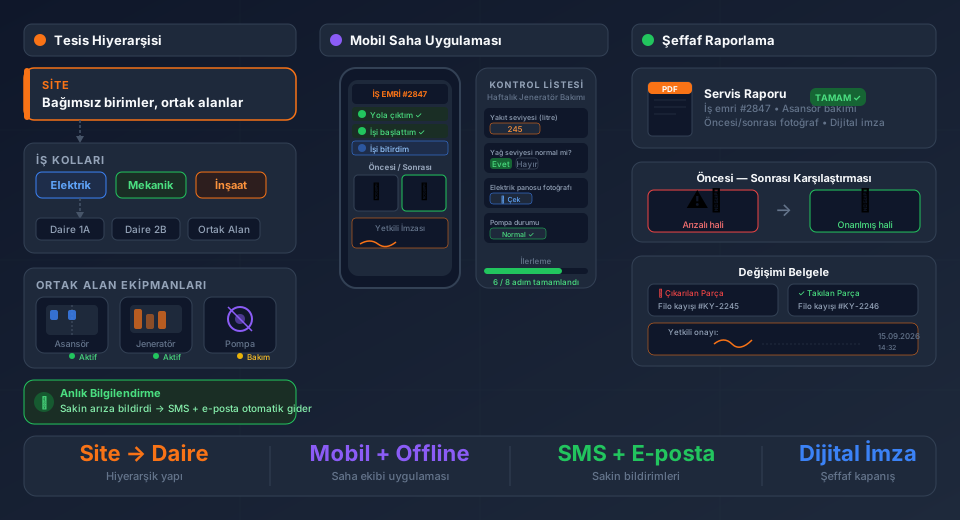
A field service management program is software that lets a service business run the whole process in one place, from the service request and technician assignment to the job on site, customer approval and invoicing. A good one replaces phone notes, paper forms and the question "who has this job and what is its status?".
This guide covers the 8 criteria to check when choosing field service software in 2026, how it differs from paper, Excel and general-purpose tools, and how to read pricing models. For what the software is and how it works, see What is field service software?.
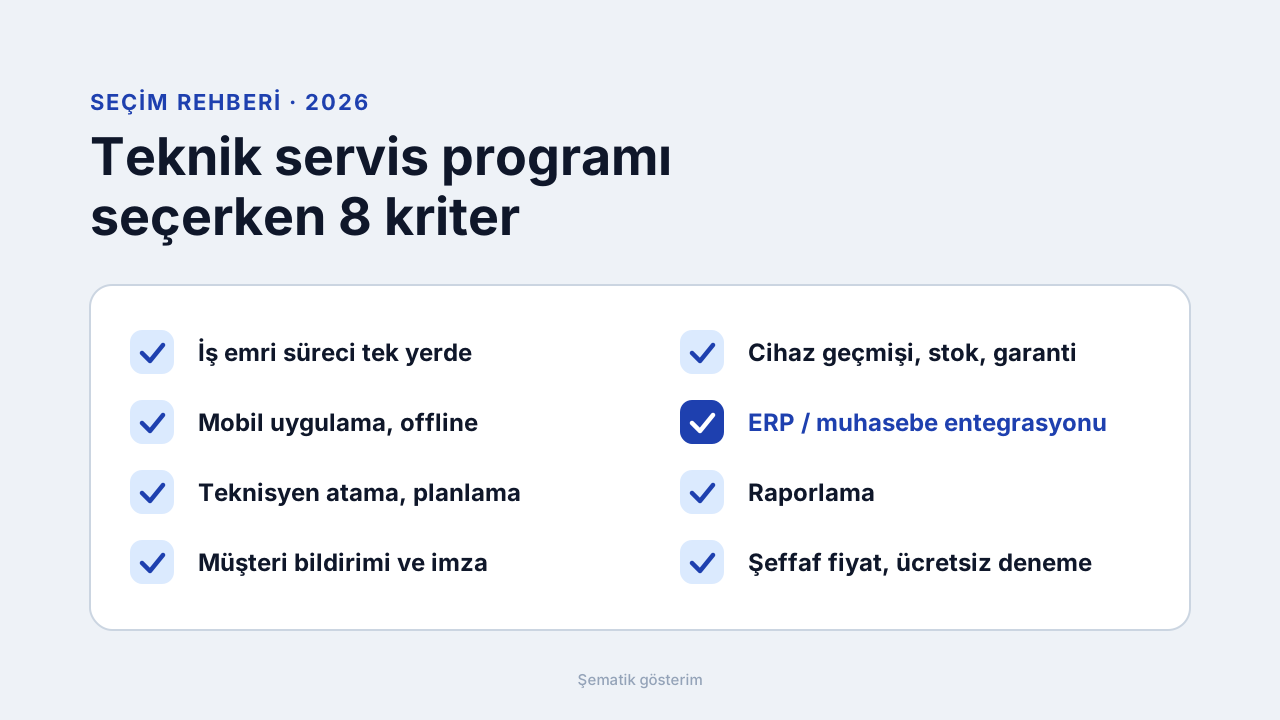
8 Criteria for Choosing the Best Field Service Software
There is no single best program. It depends on your team size, whether you work in the field and which accounting/ERP system you use. These eight questions are the most reliable way to tell which one fits you.
1. Is the whole work order process in one place?
Request, technician assignment, work done, parts used, customer approval and closing should live on one work order. When each step sits in a separate sheet or tool, the gaps turn into errors and late jobs.
2. Is there a mobile app that works offline?
Technicians should fill in the form on site, attach photos and take the customer's signature on the mobile screen. In basements, factories or no-signal areas the app must keep working and sync once the connection returns. The FieldCo Android and iOS app works offline.
3. Are assignment and planning easy?
You should see unassigned jobs on one screen and drag them to the right technician. Good software shows workload, location and expertise when assigning, and GPS tracking lets you send the nearest technician to an urgent job.
4. Are customer notifications and approvals automatic?
Appointment reminders, "technician on the way" and "job completed" messages should go out by SMS or WhatsApp on their own, so customers do not have to call and you escape phone traffic.
5. Is there device history, warranty and spare part tracking?
All services, parts and resolution notes for the same device should build up on one card, so a returning fault does not start from scratch. Spare part stock should drop with the work order (inventory management is on the Pro plan in FieldCo).
6. Can it connect to your accounting/ERP system?
Updating prices and stock in two systems means double entry and errors. Ask which systems have ready integrations, whether software must be installed on your server and how often data syncs.
7. Do the reports support your decisions?
You should see technician performance, work order times and spare part usage at a glance. Note that the ready-made report templates differ by plan.
8. Is pricing transparent, and is it easy to try and switch?
A fixed per-user monthly fee, minimum users, contract term and extra charges should be clear up front. A trial without a credit card, and whether setup and migration of old data are included in the price, are good signs.
Two Differentiators: ERP Integration and Offline Work
Many programs offer work orders and customer records. The difference is usually in these two areas.
ERP integration. FieldCo works with 30+ ERP and commercial packages including SAP, Logo Tiger, Netsis, Mikro, Nebim, Canias, Akınsoft and Uyumsoft. Price and warehouse stock changes in your ERP reach the field in about 10 minutes. The serial number entered on a work order is validated against your ERP in real time, and the warranty period is read from the ERP. Nothing is installed on your ERP server; only a network-level IP permission is needed.
Offline work. Technicians fill in forms, attach photos and take signatures without a connection, and data syncs automatically once it returns.
Comparison: Paper/Excel, General-Purpose Software, Dedicated Field Service Software
Work order tracking. Paper and Excel: a row or a form, easy to lose. General-purpose software: usually a separate module or customisation. Dedicated field service software: every request is a work order with live status.
Use in the field. Paper and Excel: re-entered at the office later. General-purpose software: usually desktop-focused. Dedicated field service software: filled in on the mobile app, works offline.
Technician assignment. Paper and Excel: by phone or message. General-purpose software: limited planning. Dedicated field service software: drag-and-drop assignment, the job lands in the mobile app.
Customer notification. Paper and Excel: manual calls. General-purpose software: usually manual. Dedicated field service software: appointment, on-the-way and completed messages by SMS and WhatsApp, automatically.
Service history and warranty. Paper and Excel: search files by customer name. General-purpose software: records exist, device-level history may be weak. Dedicated field service software: customer and device history on one card, warranty read from the ERP.
Pricing: How Much Does Field Service Software Cost?
FieldCo is priced per user. The Basic plan is €18 per user per month and Pro is €26. You start with a minimum of 3 users on an annual contract. Basic includes the mobile app, offline mode, GPS tracking, 20 report templates, setup and data migration, and phone and email support. ERP integration, inventory management, multi-branch and sub-service management are on Pro. You can try it free for 14 days, no credit card required.
The FieldCo Workflow: From Request to Closing
1. A request arrives (phone, email, WhatsApp or portal) and a work order is opened.
2. The job is assigned to the right technician by drag and drop and lands in the mobile app.
3. The customer gets the appointment and "technician on the way" notification.
4. On site the technician fills in the form, attaches photos, enters parts used and takes the signature, even without internet.
5. The work order closes; the record joins the device history and syncs with your ERP.
5 Common Mistakes When Choosing
1. Looking only at price. A low monthly fee costs more overall if setup, data migration and support are billed separately.
2. Forgetting the field. A program that looks good in the office but cannot be used when the technician has no signal sends the work order back to paper.
3. Leaving integration for last. If the ERP or accounting link is added later, double entry begins; ask before you choose.
4. Deciding without a trial. You cannot tell if it fits until you open work orders with your own device and customer data.
5. Ignoring growth. If the program cannot move from one branch to multiple branches or a sub-service network, you will have to migrate again.
Which Plan Fits You?
Basic: For small and mid-size teams with a single service center and no ERP link. Includes the mobile app, offline mode, GPS tracking, setup and data migration.
Pro: For companies that want to connect to an ERP or accounting system, track stock and spare parts, or have several branches or a sub-service network. Customisable forms, shipping integration and priority support are also on Pro.
Enterprise: For structures with 50 or more users; includes 70+ report templates, the customer satisfaction survey and custom API development. Priced by quote.
Frequently Asked Questions
Which field service software is the best? There is no single answer. Set your own priorities with the 8 criteria above and try the software with your own data.
Is field service software free? FieldCo is not free; it offers a 14-day free trial with no credit card. Basic is €18 per user per month.
Is Excel enough for field service tracking? For a small one-person job it can work. As the team grows, assignment, field records, customer notification and history tracking fall apart in Excel.
Does field service software work without internet? The FieldCo mobile app works offline and syncs automatically when the connection returns.
Which ERP does it integrate with? 30+ ERP and commercial packages including SAP, Logo Tiger, Netsis, Mikro, Nebim, Canias, Akınsoft and Uyumsoft. In-house systems can connect via REST API. ERP integration is on the Pro plan.
Is it suitable for a small service business? Yes; you start from 3 users. For small teams, see also the fast and simple field service software page.
Do I need setup and migration of old data? Setup and data migration are included in the Basic plan.
Conclusion: Try It with Your Own Data
The best decision is to shortlist by the 8 criteria and try the software with your own work orders. You can try FieldCo free for 14 days.
Request a demo →
More: Field service software for field teams · Pricing
MÇ
Metin Çelik
Founder & CEO — FieldCo / MOBIM Software
Metin Çelik founded MOBIM Software in 2002 and has spent 24 years in field service management, helping 350+ companies digitalise their field operations.