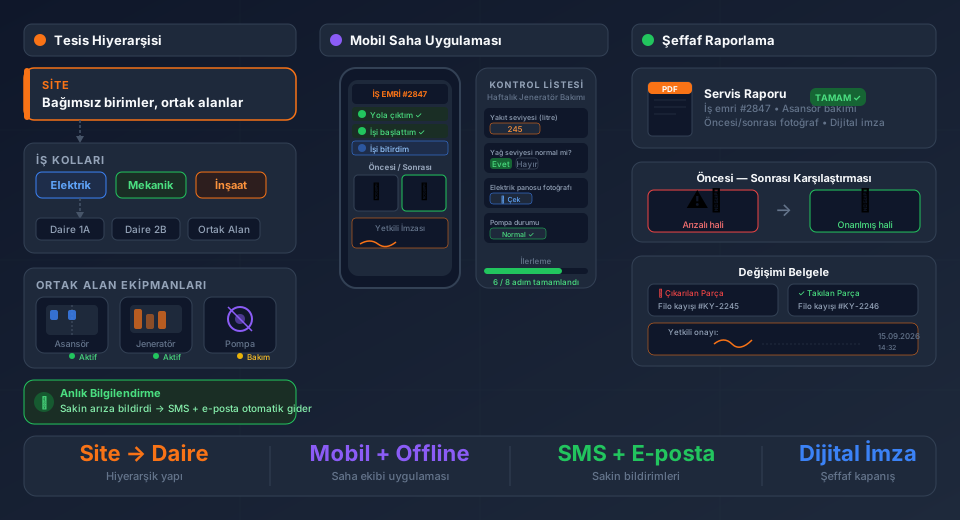
CNC machine service goes far beyond a simple "log fault — send technician — close work order" cycle.
A machine cannot be handled properly without its control unit brand and model, spindle speed (RPM), axis count, last calibration date, and warranted parts list. Without this, technicians arrive on site without enough information. Notes written on paper or in emails disappear before the next service call. Excel files go stale. Parts get ordered without knowing whether they match the machine's spec.
FieldCo's custom field structure solves this problem at its root.
---
Customer → Location → Product: Custom Fields at Every Level
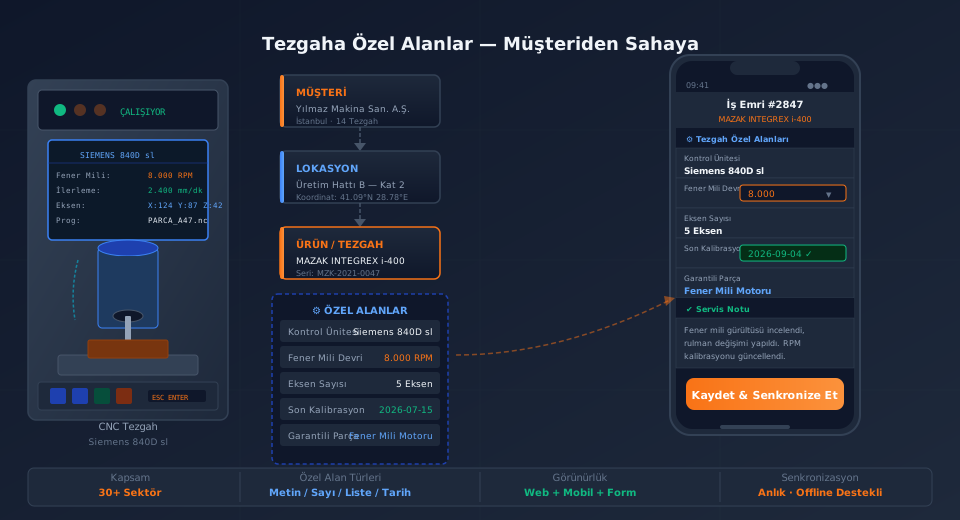
In FieldCo, machine information is maintained in a three-tier hierarchy:
Customer → Location → Product (Machine)
Independent custom fields can be added at each level. A typical setup for the CNC sector looks like this:
- Customer level: Industry, billing address, ERP code
- Location level: Production line, building, floor, contact person
- Product (machine) level: Control unit, spindle speed (RPM), axis count, last calibration date, warranted parts, last replaced component
These fields are filled when the machine record is created and are available at every subsequent service call — if a value changes, the technician can update it from the field.
---
Show in Forms: Technicians Know the Machine, Diagnose Accurately
The real value of custom fields appears when a work order is created.
In FieldCo, you control which custom fields appear in the service form. A typical form configuration for CNC machine service:
| Form Field | Source | Behavior |
|---|---|---|
| Control Unit | Machine custom field | View only |
| Spindle Speed (RPM) | Machine custom field | View + Edit |
| Last Calibration | Machine custom field | View + Edit |
| Reported Fault | Work order | Technician fills in |
| Work Performed | Work order | Technician fills in |
When the technician opens the customer's machine record, they already know the control unit, the expected spindle speed, and the axis count — without having to ask anyone.
---
Mobile App: Update in the Field, Sync Instantly
When a field technician opens the Android or iOS app, they can see the custom fields for the machine linked to their work order.
If a value changed during the service — spindle speed was recalibrated, a new component was installed — the technician updates that information directly on the machine record. No need to return to the office, tell someone, or write it down somewhere.
Offline mode is fully supported. If there is no signal inside a factory, changes are held on the device and automatically synchronized when connectivity is restored.
This keeps the machine record current after every service visit. The next technician — even from a different team — sees the machine's up-to-date state in full.
---
Which Custom Fields Can Be Defined?
FieldCo custom field types are flexible:
- Text: Control unit brand/model, serial number, last replaced component
- Number: Spindle speed (RPM), axis count, table size (mm)
- List (dropdown): Axis type (X/Y/Z/A/B/C), coolant type
- Date: Last calibration, warranty expiry date, periodic maintenance date
- Checkbox: Safety lock present, laser system active
All these fields can optionally be shown in the customer portal — customers can access their machine's service history and current specifications.
---
24 Years of Experience in CNC Sector
FieldCo knows the CNC machine service sector well. Multi-day service cases are common: technicians spend hours at the machine, perform technical analysis, order parts, test, and verify.
In this context, time-based labor billing becomes critical. FieldCo can track labor in 15-minute increments; paused services are recorded, total time is calculated automatically, and the result is reflected in the payment claim document.
If a single work order covers multiple machines, each machine is tracked as a separate line item. If sub-contractors or third-party technicians are involved, their work is tracked in the same platform.
---
Frequently Asked Questions
Who defines the custom fields?
A system administrator defines them once; they then appear automatically on all machine records. Different field sets can be created per industry or machine type.
How many custom fields can be added?
There is no practical limit. We work with companies using 5 to 20 fields per machine.
Are custom fields passed to the ERP?
Yes. With ERP integration active, selected custom field values can be automatically sent to the ERP when a service is closed.
Can custom fields be made mandatory in the form?
Yes. A field can be configured so the form cannot be closed without filling it in. Calibration date is the most common example.
What is field service management software? Read our complete guide →
Try FieldCo free for 14 days →
MÇ
Metin Çelik
Founder & CEO — FieldCo / MOBIM Software
Metin Çelik founded MOBIM Software in 2002 and has spent 24 years in field service management, helping 350+ companies digitalise their field operations.