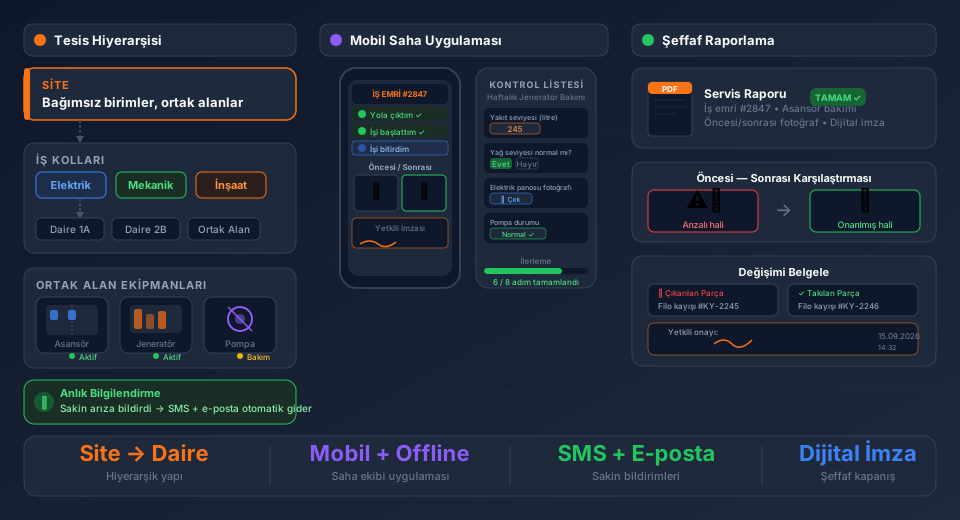
Today, many companies run their sales process in a CRM and their field service and installation operations in a completely separate field service management (FSM) tool. When these two systems are disconnected, a deal that's just been won gets lost, delayed, or forgotten somewhere between phone calls, emails, and spreadsheets on its way to the installation team.
Combining CRM and field service management on a single platform lets you manage the entire process — from first contact with a customer to completed installation — as one continuous, automated, error-free 360° workflow. FieldCo unifies the sales team's CRM activities, ERP order/delivery records, and the field team's installation and service operations in a single database.
---
Why CRM and Field Service Software Shouldn't Run Separately
In a typical setup, sales and operations are disconnected:
- The sales team tracks deals in a CRM or spreadsheet
- When a quote is won, the information is "handed over" to operations via email, phone, or WhatsApp
- The operations team manually enters the sold products into the customer record
- The installation/service team is notified through a separate channel (WhatsApp group, phone call, paper note)
- Order and delivery note records in the ERP remain completely outside this process
Every link in this chain carries the risk of lost information, delays, and human error. When a quote is revised, operations may not find out. When a delivery note is issued, the installation team may not be informed for days.
In FieldCo, the CRM module and the field service module share the same customer record, the same product/device inventory, and the same work order pool. Information is entered once, and every team sees the same data in real time.
---
A 360° Workflow: From First Contact to Installation Work Order
FieldCo's CRM module records every step of a lead's journey through the sales funnel:
1. First Contact — A lead record is created and tagged with its source (web form, phone, trade show, referral).
2. Call Activity — Every phone call is logged with its outcome and next step.
3. Email Activity — Quotes, brochures, and follow-up emails are recorded with timestamps.
4. Site Visit — The sales rep or technical team conducts an on-site survey; notes, photos, and measurements are added to the record.
5. Quote — A quote is created with products, services, and pricing, and sent to the customer.
6. 1st Revision — The quote is updated based on customer feedback; the previous version remains archived.
7. 2nd Revision — A second revision is made if needed; the full change history remains traceable.
8. "Deal Won" — The quote is won and the opportunity is marked as closed-won.
All eight steps appear under a single customer record as a chronological activity timeline. Sales managers see exactly which deals are at which stage and how long each quote has been awaiting a response — from one screen.
---
ERP Integration: From Order to Automatic Installation Work Order
Once a deal is won, the most critical step begins: handover to operations. FieldCo's ERP integration fully automates this handover.
| Step | Process |
|------|---------|
| 1 | The won quote is automatically sent to the ERP (Logo, Netsis, SAP B1, Nebim, Mikro, etc.) as a sales order |
| 2 | The ERP processes the order and warehouse/logistics begins |
| 3 | The moment a delivery note (irsaliye) is issued for the order, FieldCo detects it instantly via the ERP integration |
| 4 | The products on the delivery note are automatically added to that customer's device/product inventory in FieldCo |
| 5 | At the same time, an installation work order is automatically created for those products and dropped into the unassigned jobs pool |
| 6 | The dispatcher assigns the work order to the right technician; the technician completes the job from the mobile app |
With this flow, no manual data entry, phone-based notifications, or "has the delivery note been issued yet?" follow-ups are needed at any stage from sale to installation. The moment the delivery note is issued in the ERP, the installation team already knows.
---
No ERP? Automatic Installation Pool from Order Approval
For companies that don't use an ERP — or haven't yet activated the ERP integration — FieldCo provides the same automation, just with a different trigger:
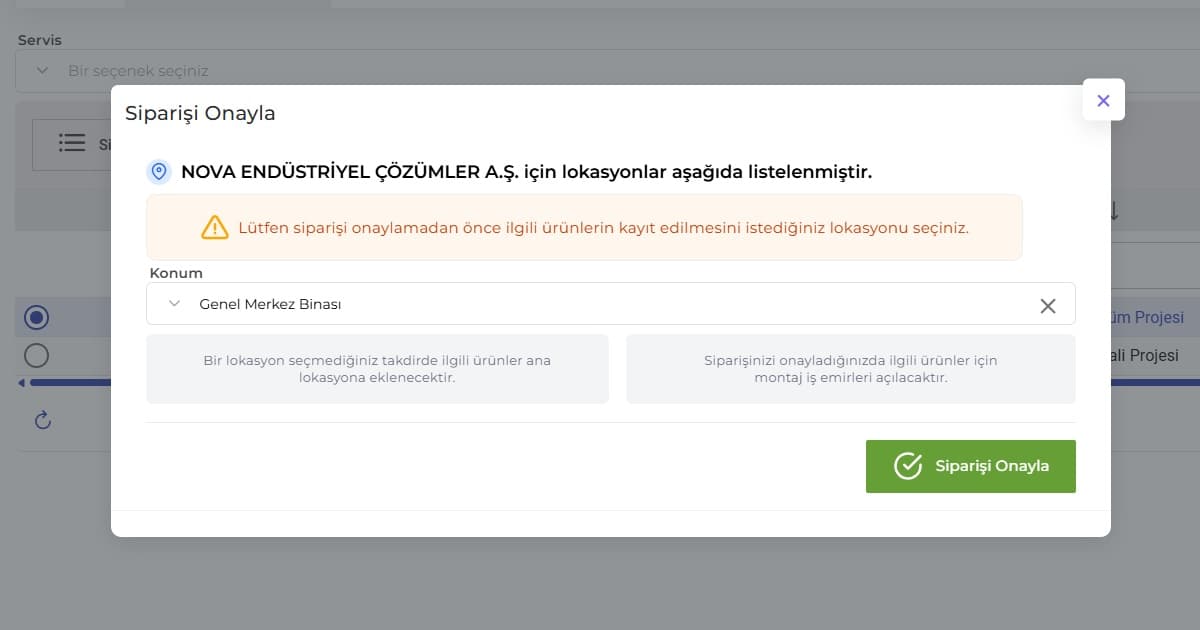
- When a quote is won and the order is approved within FieldCo, the products on the order are automatically added to the customer's product/device inventory
- At the same time, installation work orders are created for those products and opened in the unassigned jobs pool
- The dispatcher sees the job in the pool and assigns it to a technician
Whether or not you have an ERP, every manual step between "order won" and "installation work order in the field" disappears.
---
The Concrete Benefits of 360° Tracking on One Platform
- Zero information loss: Quote, revision, order, and installation history all live on a single customer record.
- No manual data entry: Products and installation work orders are created automatically from delivery notes or order approvals.
- Fewer human errors: "Forgotten" orders, "late notice" installations, or "wrong product" entries are systematically prevented.
- Sales and operations speak the same language: Sales can see a deal's installation status, while operations can see the full quote history — from the same screen.
- Full visibility for management: Lead-to-install time can be measured and continuously improved.
---
Frequently Asked Questions
What is CRM and field service software integration?
CRM and field service software integration means managing sales activities (calls, emails, visits, quotes) and field operations (installation and service) on the same platform, under the same customer record. In FieldCo, this integration also connects to the ERP order and delivery note process.
Does CRM-FSM integration work without an ERP?
Yes. Even without an ERP, when an order is approved within FieldCo, products are automatically added to the customer's inventory and installation work orders are automatically created in the unassigned jobs pool.
How does an installation work order get created automatically when a delivery note is issued?
FieldCo monitors order and delivery note activity in real time via its ERP integration. The moment a delivery note is issued, the products on it are added to the customer's device/product inventory in FieldCo, and an installation work order is automatically generated for them.
Which ERP systems does this integration support?
FieldCo integrates with 30+ ERP systems, including SAP Business One, Logo Tiger/Go, Netsis, Nebim V3, Canias, Mikro, and Akınsoft.
---
Conclusion
Running CRM and field service management as separate systems leads to lost information, delays, and human error between the sale and the installation. FieldCo connects the entire 360° workflow — from first customer contact through the quote process, to ERP orders and delivery notes, to the field team's installation work orders — on one platform, governed by automatic rules.
See FieldCo's CRM and field service integration in a live demo →
Field service management software guide: work orders, GPS tracking, ERP integration →
MÇ
Metin Çelik
Founder & CEO — FieldCo / MOBIM Software
Metin Çelik founded MOBIM Software in 2002 and has spent 24 years in field service management, helping 350+ companies digitalise their field operations.